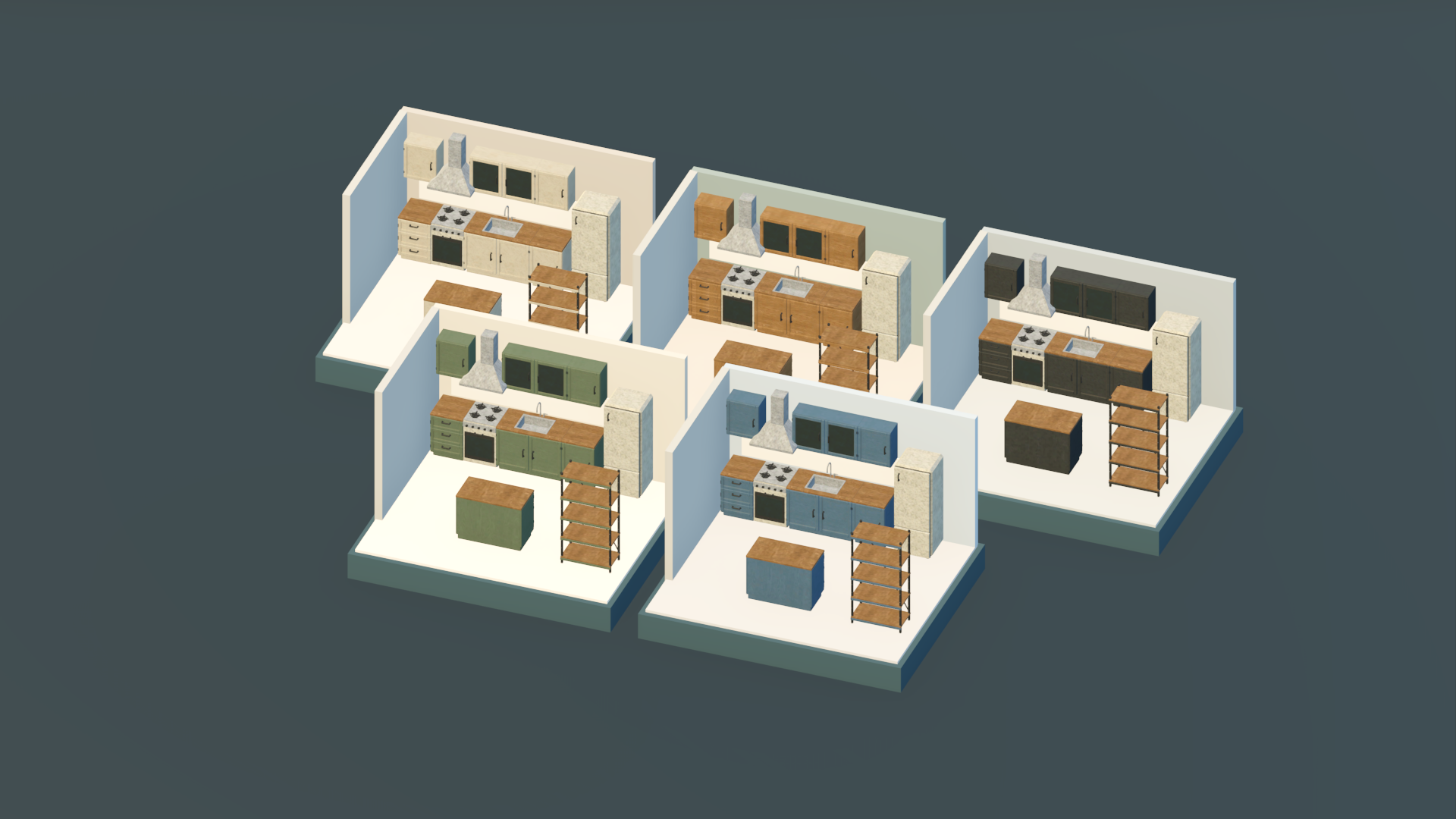
Base Building kitchen Pack
Key Features
Framework Optimised
Built around common FiveM frameworks and bridge-driven compatibility.
Configurable Setup
Tune the resource to fit your server, jobs, items, locations, and roleplay rules.
Roleplay Ready
Designed to feel practical in live communities, not just in a test server.
Simple Install
Clear drag-and-drop style setup with documentation and support available.
Description
TSS Basebuilding Kitchen Pack brings fitted kitchens to your builds with 63 models, including cabinetry in Ivory, Oak, Charcoal, Sage and Blue finishes. Combine cabinets, appliances and storage pieces to create anything from a compact kitchenette to a larger kitchen with a central island.
🔧 Key Features
- Modular Kitchen Cabinets
- Single, double, drawer, corner and sink base units for different layouts.
- Single, double, glazed and open upper cabinets to complete your fitted kitchen.
- Five Coordinated Finishes
- Choose from Ivory, Oak, Charcoal, Sage and Blue cabinetry.
- Use a matching finish throughout or mix colours for contrasting cabinets and islands. Appliances & Storage
- Includes a cooker, fridge and extractor hood.
- Pantry units, sideboards and storage racks add variety to kitchens and utility areas.
📦 What’s Included 63 models in total: 12 cabinet and storage designs in five finishes, plus three appliance models. The Kitchen Pack only. Basebuilding and Decoration packs are sold separately.
⚠️ Please Note This is a prop/model pack, not a standalone kitchen or basebuilding script. Placement, cooking, storage and other gameplay features require a separate script or your own implementation. Appliances and cabinets are visual models; interactive functionality depends on your server’s scripts. The model count includes finish variants. It does not mean 63 unique designs in each colour.
© TinySprite — Quality resources built for FiveM servers.
How It Works
Install
Drop the resource into your server and add the required dependencies.
Configure
Adjust frameworks, items, locations, permissions, and behaviour.
Test
Run through the key player flow before opening it to the city.
Share
Let players use it, trade it, or build roleplay around it.
Support
Use Docs or Discord support when you need a hand.
Supported Frameworks
Asset Details
- Resource Name
- tss_base_building_kitchen_
- Version
- 1.0.0
- Category
- Props
- Script Type
- Standalone
- Textures Accessible
- Yes
- Escrow/Open
- 10%/90%
- Dependencies
- None